














🔥 Get our lowest price on the MacBook Pro 16-inch. | Shop Now

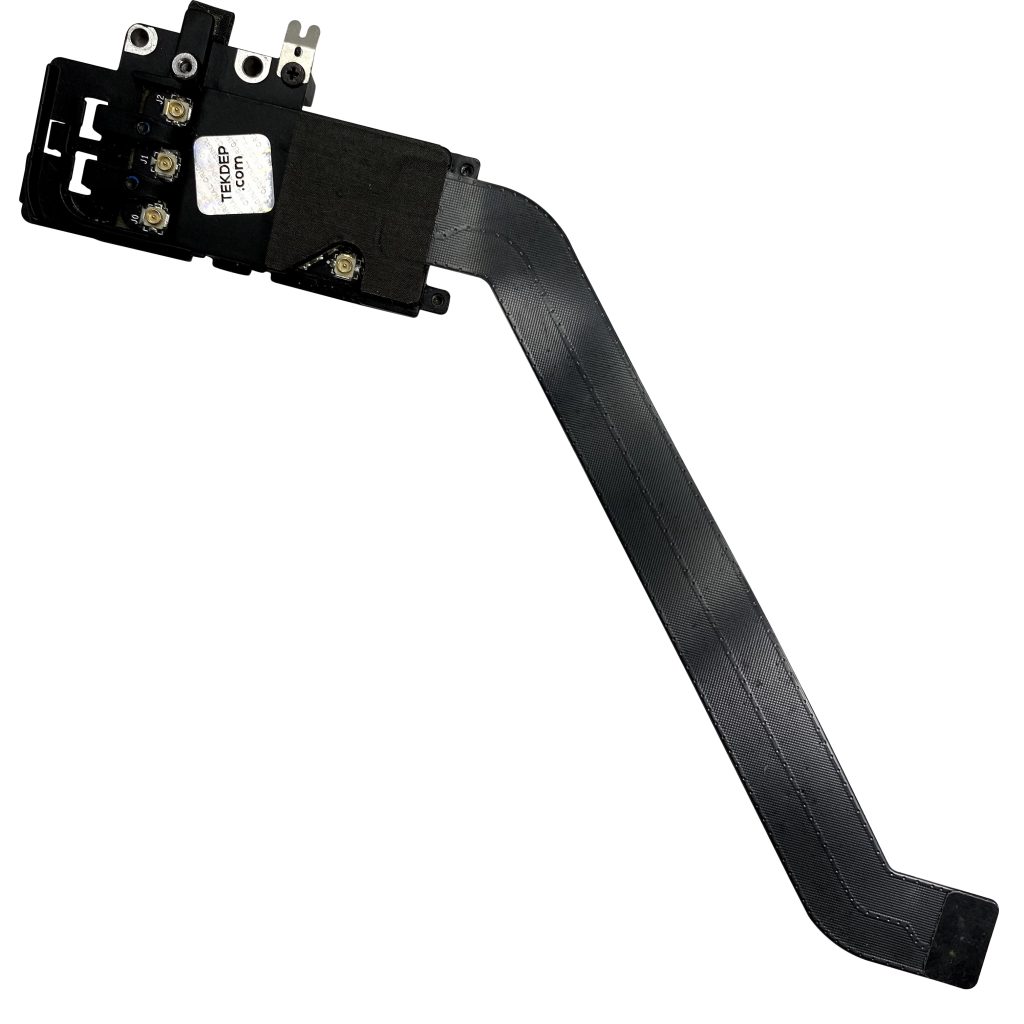
A1278 Original Airport WiFi Bluetooth Cable + Bracket 661-6510 for 2012 MacBook Pro 13″

$29.00

661-6510 Original Airport WiFi Bluetooth cable + bracket for 2012 MacBook Pro 13″ A1278. Replaces a damaged or faulty cable for reliable wireless connectivity.
SKU: 224
Brand:
Primary Category: Mid 2012 MacBook Pro A1278

Shipping: 5 - 9 days

4 in stock

TEKDEP Guaranteed Safe Checkout

Free USA Shipping & Worldwide Delivery

Online Exclusive: This product ships directly to your address. In-store pickup at our repair facilities is not available.

Product Specifications

General

SKU
224
Part Number (s)
922-9780, 076-1381, 661-6510, BCM94331PCIEBT4AX, 821-1312-A, 821-1312-02
Brand
Apple
Year
2012

Connectivity

Wireless Technology
Bluetooth, Wi-Fi

Additional Details

Compatibility
MacBook Pro 13" Unibody A1278:
MD101LL/A (2.5 GHz Core i5)
MD102LL/A (2.9 GHz Core i7)
Whats in the box
AirPort Wireless Network Card
Additional Features
Bluetooth: 2.1 + EDR
WiFi: 802.11a/b/g/n
Includes
AirPort Card Bracket
AirPort Card Flex Cable

Description

A1278 Original Airport WiFi Bluetooth Cable + Bracket 661-6510 for 2012 MacBook Pro 13″


CONDITION:

  • Used – fully tested and certified functional

ABOUT:

  • Restores WiFi and Bluetooth connectivity in the 2012 MacBook Pro 13″ A1278. Includes a secure bracket for stable installation.

VIDEO GUIDE:


Our Best 16" MacBook Price Ever

We’ve dropped prices on the MacBook Pro 2019.
Pro-level performance is now more affordable than ever.

recently viewed

Related Products

Mail-in Repair & Services

Need Help with Installation?

Worldwide, our ValetTek Mail-In Repair Service offers a smooth and efficient repair experience.

Lost Data?

TEKDEP offers top-notch data recovery to retrieve your valuable information. To Learn more about our comprehensive Data Recovery Solution.

Questions?

Contact us at Call Us (818) 456-4479, email support@tekdep.com, utilize our Live Chat feature.
Get Your repair by professional, Fast & Secure Without leaving home
Fill out the form to get started! 👉

Official TEKDEP Tutorials

Subscribe for expert tutorials, pro tech tips, and teardowns.

Configure Specs